 komrad
Installing komrad
Get up and running with the komrad binary.
Komrad is one binary. The same binary runs the panel and the server.
The panel runs on your machine. It renders the view of komrad’s state in your terminal, and wraps around existing CLI tools like Claude or Codex.
The server runs your agents and records their activity in Postgres, so you can search chat history, spawn several agents at once, or have them communicate. The server, along with its database and agents, makes up an engine. Komrad’s engines can run on your laptop or on a remote machine, and one panel can connect to different engines.
Quick start#
Komrad runs its agents in tmux, so install tmux 3.3 or newer first. Then run the install script.
curl -fsSL https://github.com/harrisoncramer/komrad/releases/latest/download/install.sh | shRun komrad open to open the panel.
To install the tip release, set KOMRAD_VERSION=tip on the sh side of the pipe. The KOMRAD_VERSION value also takes a release tag such as v0.3.0. You can use KOMRAD_INSTALL_DIR to pick a directory other than ~/.local/bin.
curl -fsSL https://github.com/harrisoncramer/komrad/releases/download/tip/install.sh | KOMRAD_VERSION=tip shManual installation#
The install script downloads the binary, checks it and runs setup. To do each step yourself, follow this section.
Install the binary#
mkdir -p ~/.local/bin
curl -fsSL -o ~/.local/bin/komrad https://github.com/harrisoncramer/komrad/releases/latest/download/komrad-darwin-arm64
chmod +x ~/.local/bin/komrad
Swap darwin-arm64 for your platform: darwin-amd64, linux-amd64 or linux-arm64.
This installs the newest stable release. Each release has a version number and a changelog on the releases page.
Check the download#
Every release carries a checksums.txt file. Compare the binary against it.
expected="$(curl -fsSL https://github.com/harrisoncramer/komrad/releases/latest/download/checksums.txt |
  awk '$2 == "komrad-darwin-arm64" {print $1}')"
echo "$expected  $HOME/.local/bin/komrad" | shasum -a 256 --check
The checksums come from the same place as the binary, so they catch a corrupted download, not a compromised release.
Install tip instead#
The tip release is rebuilt from main on every merge. It has the newest changes and doesn’t make a version promise.
mkdir -p ~/.local/bin
curl -fsSL -o ~/.local/bin/komrad https://github.com/harrisoncramer/komrad/releases/download/tip/komrad-darwin-arm64
chmod +x ~/.local/bin/komrad
Build with more languages#
Release binaries highlight a core set of languages and show a file in any other language as plain text. To highlight more, build komrad from source and add the grammars you need to the core set by their nvim-treesitter names. The contributing guide covers the other --grammars options.
git clone https://github.com/harrisoncramer/komrad.git
cd komrad
mise install
mise run go:build --grammars core,ocaml
cp bin/komrad ~/.local/bin/komrad
Run setup#
Run komrad setup once the binary is on your PATH. It walks through the machine one step at a time. To set the machine up by hand instead, follow the rest of this section.
Create your database#
Every release binary carries an embedded Postgres, so you do not need to install or run it yourself. Komrad keeps its database there while database_url is left empty. Run komrad setup, and komrad creates the database and an engine named default under your state directory.
komrad setup --no-inputAfter a restart, komrad start or komrad open brings the embedded Postgres back up. While the server runs, it starts the embedded Postgres again whenever it exits.
The embedded Postgres needs only the C library. It runs on Linux with glibc 2.28 or newer, such as Debian 10, Ubuntu 20.04 or RHEL 8, and on macOS 12 or newer. It runs under any login except root. On any other machine, such as one running Alpine, keep the database in a Postgres you already run.
Use a Postgres you already run#
You can keep the database yourself instead, for example in Docker.
docker run --name komrad \
	-e POSTGRES_USER=komrad_owner \
	-e POSTGRES_PASSWORD=password123 \
	-e POSTGRES_DB=komrad \
	-p 5432:5432 \
	-v komrad_data:/var/lib/postgresql \
	-d postgres:18
Postgres takes a few seconds to start. Wait until docker exec komrad pg_isready -h localhost reports that it is accepting connections before moving on.
The database needs one admin-like user. The komrad engine uses this user to run migrations each time you update your binary. Run komrad setup with --no-embedded-postgres and paste this user’s URL, or pass it as --owner-database-url. To do the same by hand, provide the URL to the komrad migrate command and create your first engine. The engine is named default here.
export KOMRAD_OWNER_DATABASE_URL=postgres://komrad_owner:password123@localhost:5432/komrad
komrad migrate
komrad engine ensure default
Several engines can share one database, so multiple developers can share a Postgres database, or one developer can spread their workload across machines.
Write the config#
Komrad’s configuration is stored in a TOML file. Setup writes this file for you when there is none. This section is for a Postgres you set up by hand, or a config file you already have.
The komrad engine ensure command prints an initial [connection] block with a login for the engine. Run it, put the engine block in ~/.config/komrad/config.toml, and add the owner URL from the previous step beside it.
[connection]
owner_database_url = "postgres://komrad_owner:password123@localhost:5432/komrad"
database_url = "postgres://komrad_engine_default:8f3a1c9e2b7d4e6f@localhost:5432/komrad"
Only komrad migrate, komrad engine ensure, komrad engine grant and komrad engine revoke use the owner_database_url. The server itself connects with database_url.
To keep a whole URL out of the file, export KOMRAD_DATABASE_URL, KOMRAD_OWNER_DATABASE_URL or KOMRAD_READONLY_DATABASE_URL and leave the setting out. Each variable takes the place of its setting, as KOMRAD_OWNER_DATABASE_URL did for komrad migrate above.
To keep only the passwords out, write each one as ${NAME}. Komrad reads it from that environment variable when it reads the config:
[connection]
owner_database_url = "postgres://komrad_owner:${KOMRAD_OWNER_PASSWORD}@localhost:5432/komrad"
database_url = "postgres://komrad_engine_default:${KOMRAD_ENGINE_PASSWORD}@localhost:5432/komrad"
readonly_database_url = "postgres://komrad_engine_default_reader:${KOMRAD_ENGINE_PASSWORD}@localhost:5432/komrad"
A collector’s API key reads the same way, in a value under headers:
[log.export]
endpoint = "https://api.honeycomb.io"
headers = { "x-honeycomb-team" = "${HONEYCOMB_API_KEY}" }
Those four settings read ${NAME}, and no others. Komrad refuses the config when one of them names a variable that isn’t set, or when any other setting holds a ${NAME}.
Open the panel#
Komrad runs every agent in a tmux server of its own, so tmux must be installed. Using tmux yourself is optional.
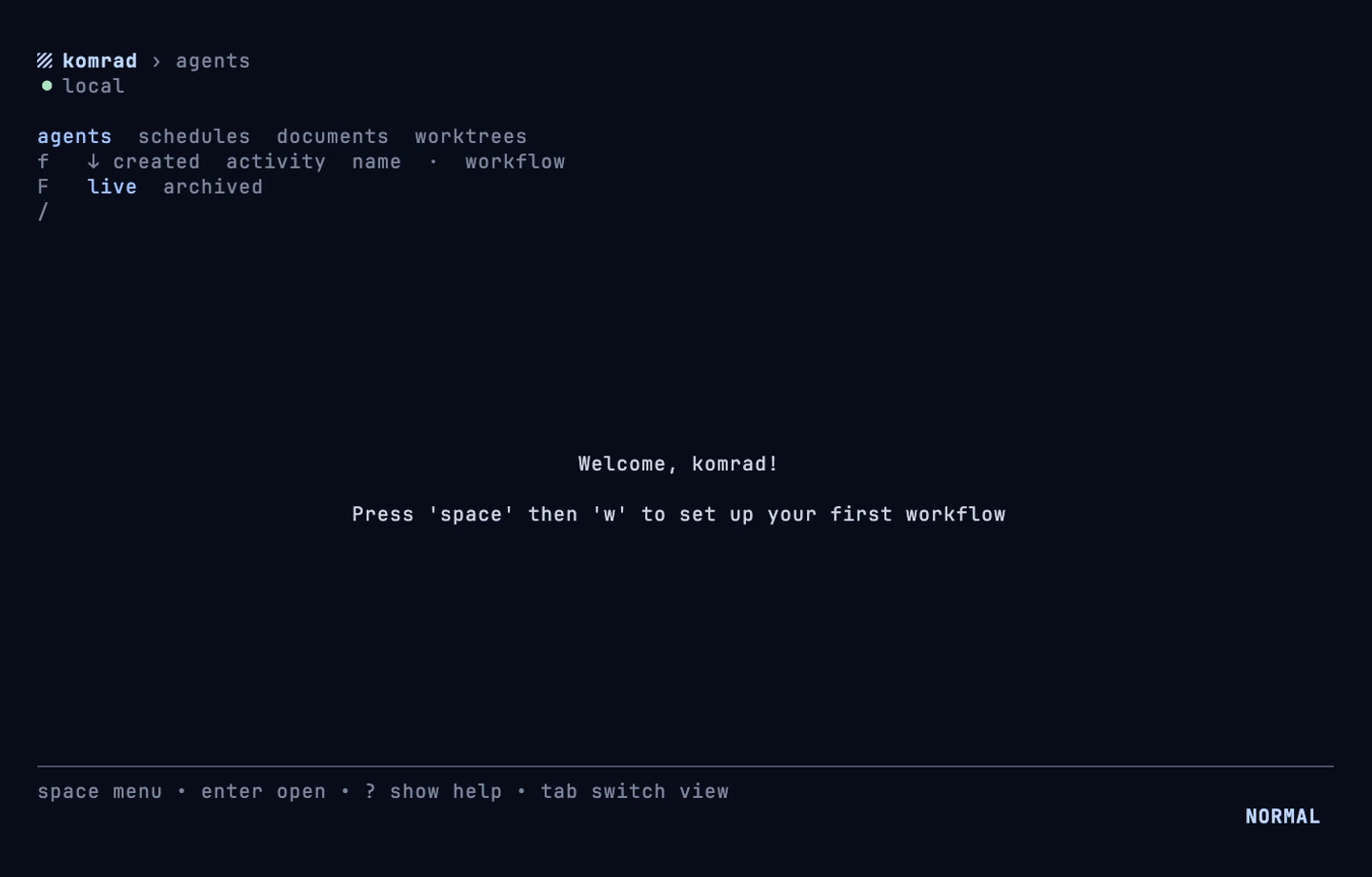
Run komrad open to open the panel. The first open starts the server in the background, and the embedded Postgres too if you use it.
Connecting a forge#
Komrad can push or pull data from your forge, such as GitHub or GitLab, only after you connect it. Connect a forge once with the komrad forge connect command.
GitHub#
On your laptop, the simplest way is to hand komrad the token the GitHub CLI already holds.
gh auth token | komrad forge connect github.comAny personal access token works the same way, as long as it can read the pull requests of your repositories. For GitHub Enterprise, add --kind github and, if needed, --api-url.
To connect a GitHub App, set it up in [github_app] and connect it with --method github-app. Komrad makes a token from the App, which expires after an hour, and makes a new one whenever it needs to.
komrad forge connect github.com --method github-appGitLab#
GitLab takes a personal access token with the api scope. GitLab workflows run on a local engine.
komrad forge connect gitlab.com --token-file ~/.config/gitlab-token
komrad forge connect gitlab.example.com --kind gitlab --token-file ~/.config/gitlab-token
GitLab has no App to make short-lived tokens from. On a machine other people can reach, connect with --method rotating-token so the token komrad holds does not live forever. Komrad swaps the token for a new one as soon as you connect, so the one you pasted stops working at once.
Use komrad forge disconnect to revoke the current token with GitLab before you forget it.
komrad forge connect gitlab.com --method rotating-token --token-file ~/.config/gitlab-tokenIf a rotation is ever refused, the connection shows as refused in komrad forge list. Connect it again with a fresh token.
Self-Hosting#
A self-hosted forge needs two more things.
Komrad cannot tell from a host’s name which forge it runs, so pass --kind github or --kind gitlab. If its API is somewhere other than https://<host>/api/v3 for GitHub or https://<host>/api/v4 for GitLab, pass --api-url as well.
Some hosts take SSH paths like ssh.gitlab.example.com. List each pair in ssh_hosts so a remote on the SSH name finds the connection for the web host. Public names such as ssh.github.com and altssh.gitlab.com are already known.
Upgrading#
Run the install script again or download the new binary over the old one, then stop the server and migrate. The install script skips setup when it replaces a binary.
komrad stop
komrad migrate
A running server keeps its old build until you stop it. Open the panel again and it starts the new build. The embedded Postgres keeps running through komrad stop, so komrad migrate can still reach it. The next komrad open or komrad start restarts the embedded Postgres on the programs the new build carries. Agents keep running throughout, because they live in tmux, not in the server.
Running the panel inside tmux#
The panel is a terminal application, so it runs inside tmux without a problem.
If your own tmux prefix is ctrl+space, give your tmux a different one, because the panel keeps its own keys behind it.